 简体中文
简体中文
 English
 繁體中文
繁體中文
 Русский
 日本語
日本語
 Français
 한국어
한국어
 Deutsch
 Português
 Español
CrossDriver Company
NTFS Read/Write Tool
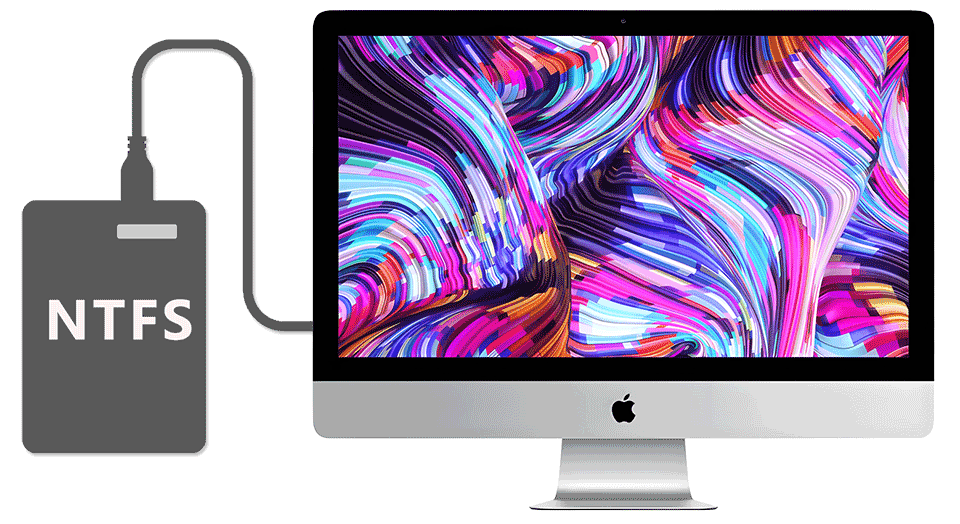
Compatible with Apple computers with Intel/M1/M2/M3/M4/M5 chips Access and edit NTFS partitions in the system, and realize data reading, writing, editing and other functions
 Download Now
  Buy Now
That's all you need to Read/Write NTFS disks on Mac
Enable a friendlier interaction between  MAC and
  Windows
CrossDriver Company
NTFS Read/Write Tool
Compatible with Apple computers with Intel/M1/M2/M3/M4/M5 chips Access and edit NTFS partitions in the system, and realize data reading, writing, editing and other functions
That's all you need to Read/Write NTFS disks on Mac
Enable a friendlier interaction between MAC and Windows


Can't Read NTFS Drives on Your Mac? CrossDriver Fixes It in One Step
2026-02-26 17:44:40
Have you ever plugged an NTFS-formatted USB drive or external hard disk into your Mac, only to find you can view files but not edit them?
Don’t worry—it’s not a problem with your Mac. Apple’s system intentionally restricts write permissions for NTFS drives by default.
Try CrossDriver NTFS for Mac, and say goodbye to those limitations!
Why Choose CrossDriver?
Full compatibility with both Intel and Apple Silicon chips (M1 to M5 included)
Works seamlessly with macOS 10.13 through macOS 26
Simple one-click installation and automatic mounting—plug in your drive and start moving, copying, editing, saving, or deleting files right away
Native-level read-write performance for fast, stable, and secure cross-system file transfers
Supports NTFS formatting, repair, safe ejection, and more
With CrossDriver, your NTFS drives are no longer "read-only" on your Mac. Visit the official CrossDriver website now to download and install the tool—and unlock full read-write freedom for your drives!